Joining a campaign
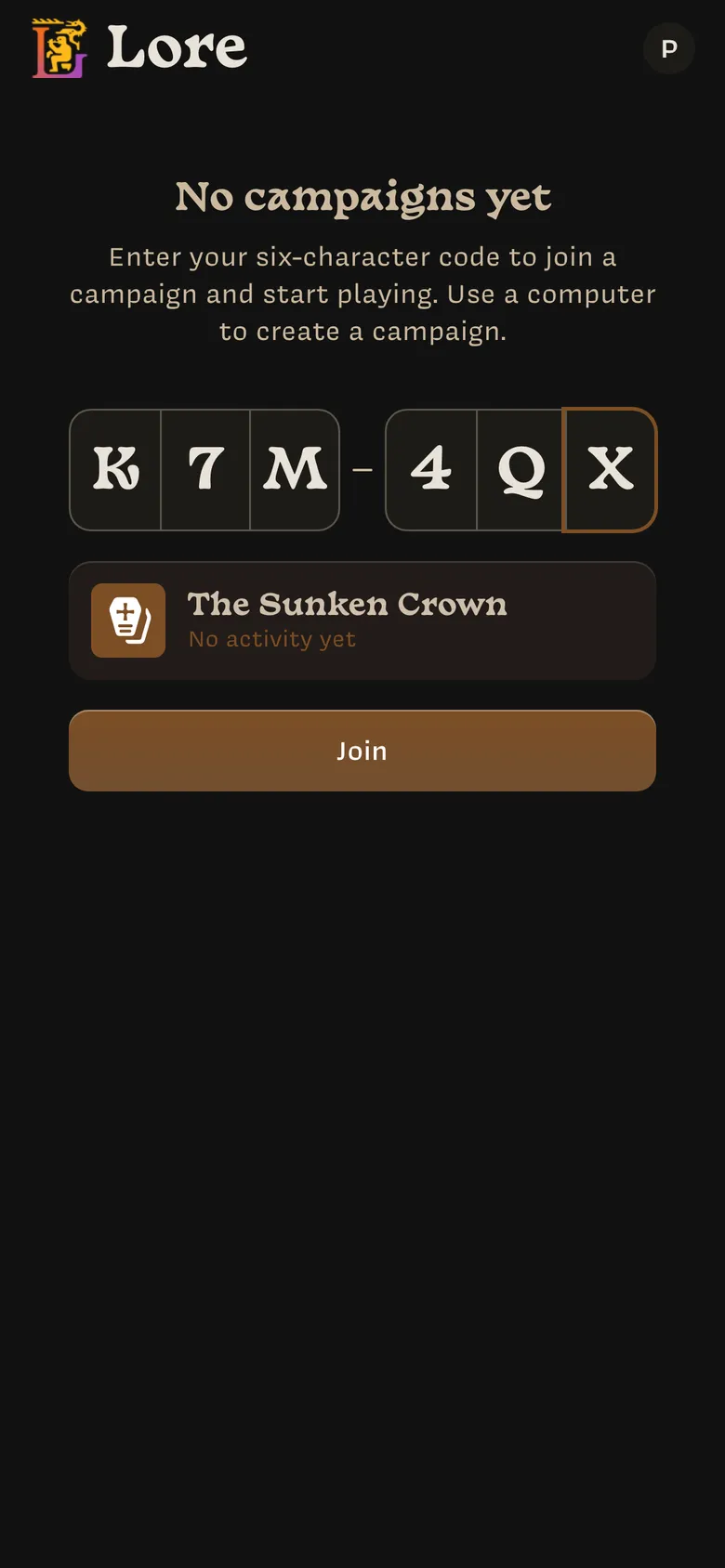
You join a campaign with its code, which your Owner gives you. Codes are six
letters and numbers, like K7M4QX. Letter case and spaces don’t matter, and Lore
reads the letter O as a zero and I or L as a one.
- Open Lore on your phone and sign in.
- If you haven’t joined any campaigns yet, the code boxes are right on the home screen. Otherwise, tap Join in the top-right corner.
- Type the code, or paste the Owner’s whole message. The campaign’s card appears underneath so you can check it’s the right one.
- Tap Join.
Lore takes you straight into the campaign to create your character.
If the code doesn’t work
| Message | What to do |
|---|---|
| No campaign you can join uses that code. | Check the code with your Owner. They may have made a new one or deleted the campaign. You also see this for campaigns you already belong to or own. |
| Too many wrong codes. Try again in 42 minutes. | After 10 wrong codes in an hour from your account, or 30 from your network, Lore stops taking codes for an hour so nobody can guess their way in. Wait, then check the code with your Owner. |
| Couldn’t look up that code. Please try again. | Check your connection and try again. |
| Couldn’t join. Reload the page and try again. | Reload Lore and enter the code again. |
Your joined campaigns appear on the home screen on your phone. On a computer, the home screen only lists campaigns you own.
Last updated on