Your character sheet
When your character isn’t on a map, Lore shows your character sheet. (When the Owner places you on a map, you see the map instead. See Playing on the map.)
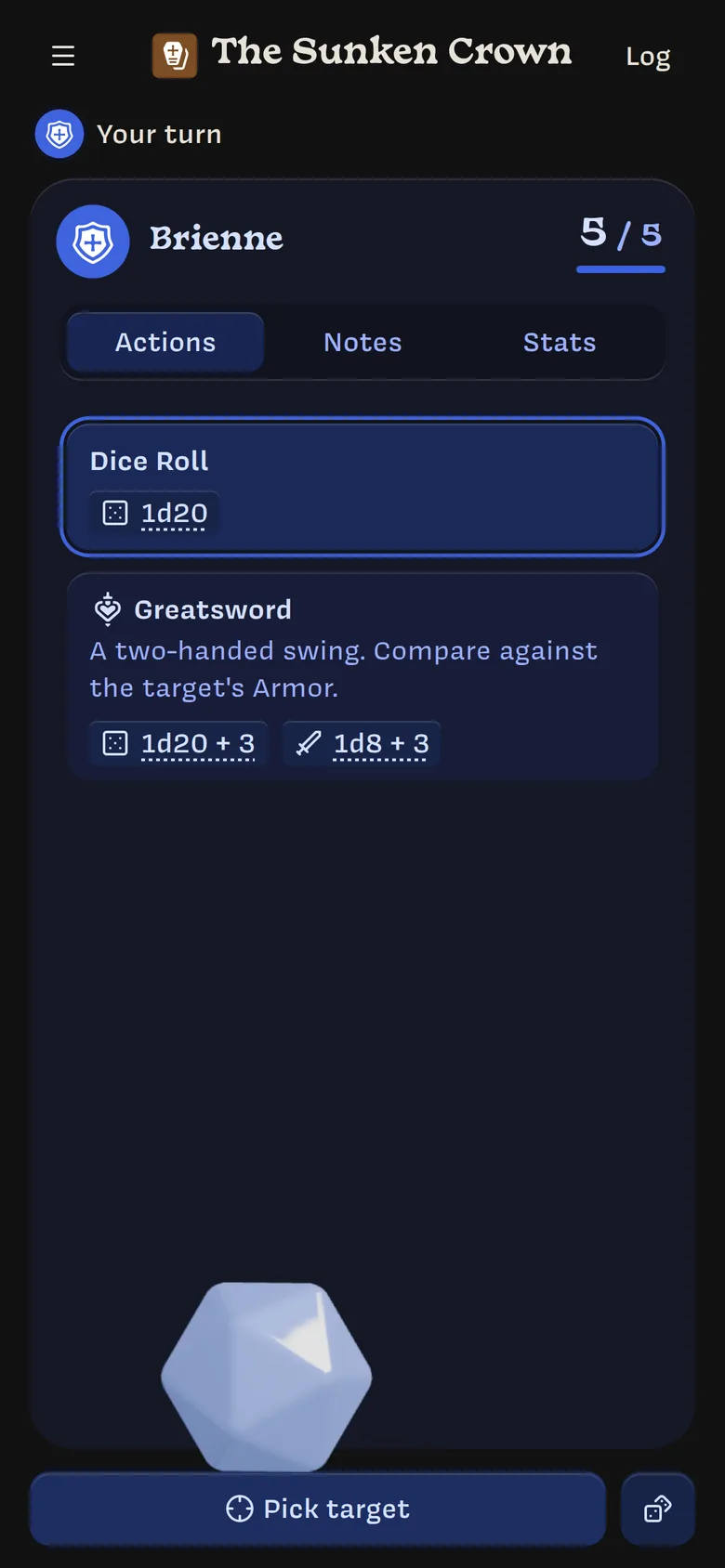
From top to bottom:
- Header: ☰ goes back to your campaigns. The campaign’s name is in the middle, and Log opens the log.
- Turn order: shows Your turn or whose turn it is, with the characters coming up next. Tap it to see the full order.
- Your character: name, sigil, and health, such as 5 / 5.
- Tabs: Actions, Notes, and Stats.
- Power crystal and buttons: for rolling.
Actions
The Actions tab lists:
- Dice Roll, a plain
1d20, always first; - your character’s actions, with their descriptions.
Each action shows its numbers worked out with your Stats. For example, the Greatsword shows 1d20 + 3 to hit and ⚔ 1d8 + 3 damage for a character with Strength 3. Tap an underlined number to see how it’s calculated.
Tap an action to select it for your next roll. The selected action is outlined.
| Icon | Means |
|---|---|
| 🎲 | What you roll |
| ⚔ | Damage it deals |
| ♥ | Health it restores |
| ⏱ | A count, such as uses left |
Stats
The Stats tab shows your character’s Stat values. It only appears if your campaign uses Stats. True-or-false Stats are hidden while they’re false.
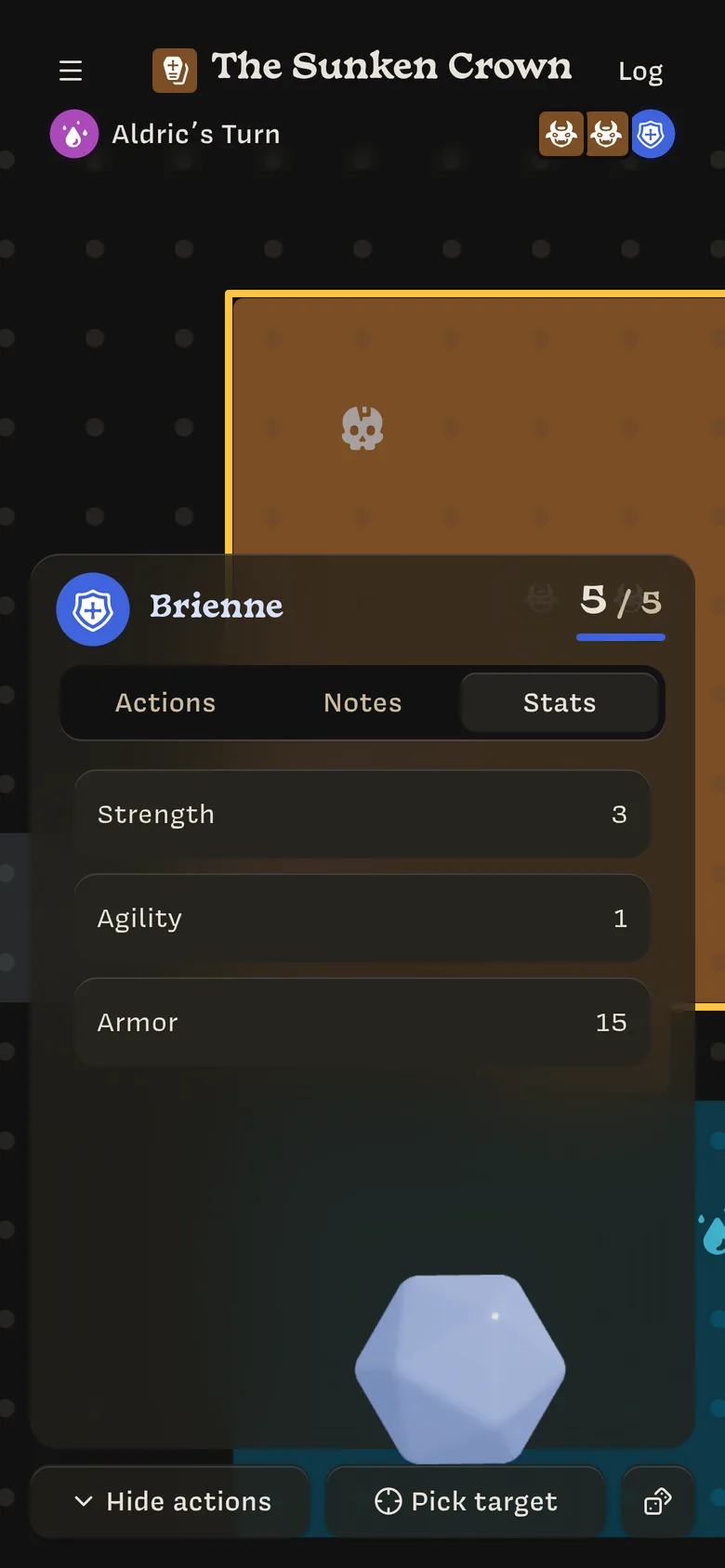
Only the Owner can change your Stats and health.
Notes
The Notes tab has your journal and the notes your Owner has shared. See Notes and your journal.