Creating campaigns
A campaign is one game world: its maps, characters, notes, templates, and history. You own the campaigns you create, and you can run as many as you like.
Create a campaign
Click Create campaign
Use the Create campaign button on the home screen, on a computer.
Name it
Type a name. You can rename the campaign later.
Pick a sigil and a color
The sigil and color identify the campaign on everyone’s home screen, and the color tints the whole campaign. A random pair is preselected. Hover over a sigil or color to see its name, such as The Tomb or Earthen Brown.
Click Create
Create turns on once the name, sigil, and color are all set.
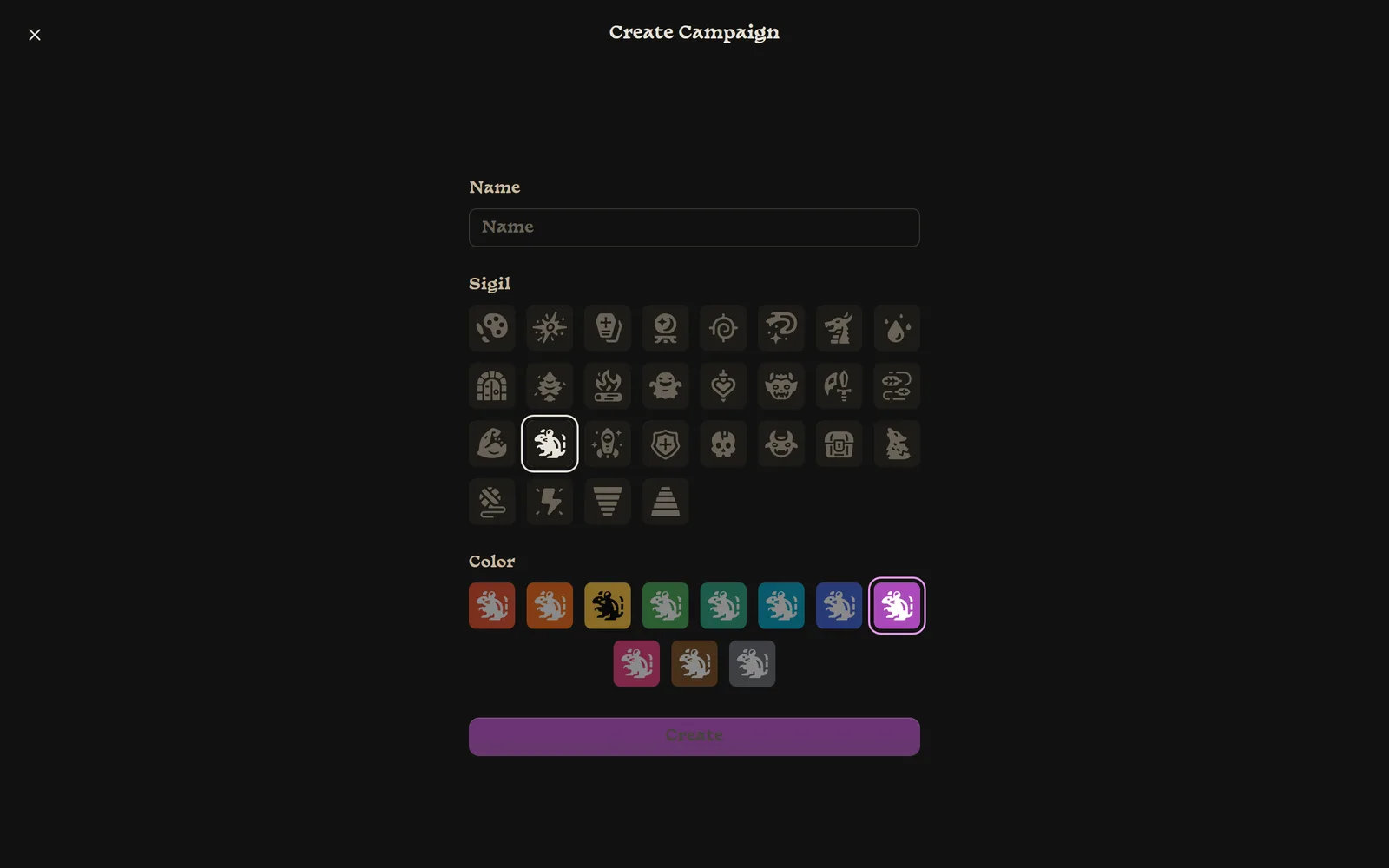
Every new campaign comes with:
- a medium-sized empty map called Map;
- two starter classes, Fighter (5 health, a Greatsword action) and Mage (4 health, a Magic Missile action);
- a unique six-character campaign code for inviting players.
Change the name, sigil, or color
Inside the campaign, the name and sigil sit in the middle of the top bar.
- Rename: click the name and type. Names can be up to 30 characters and can’t be blank.
- Change the sigil or color: click the sigil tile to open a picker with Color and Sigil dropdowns.
Changes appear for everyone right away. If a change fails to save, you’ll see Campaign appearance was not saved. Try changing it again.
Delete a campaign
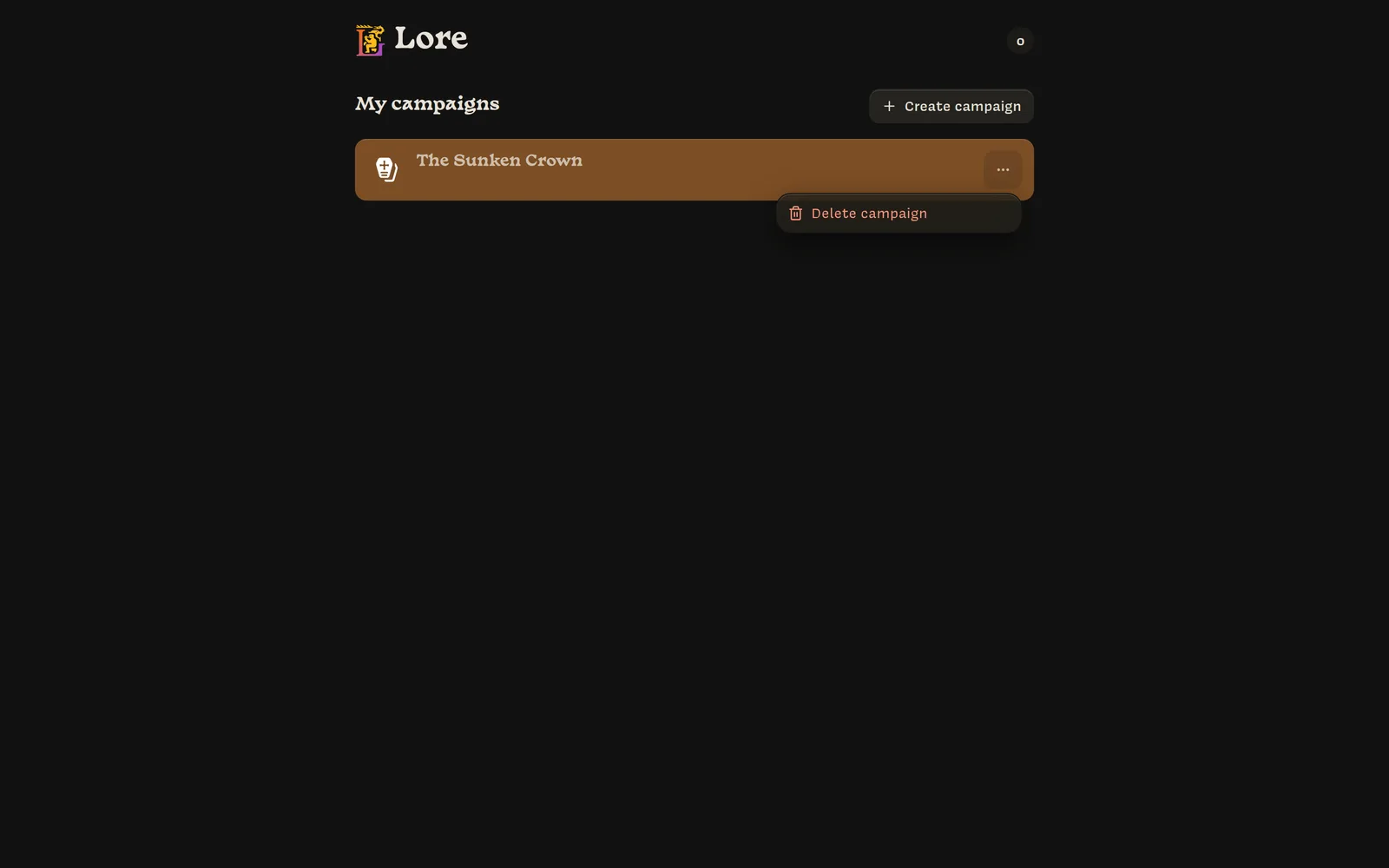
On the home screen, open the ⋯ menu on a campaign card and choose
Delete campaign. To confirm, type DELETE and click Delete.
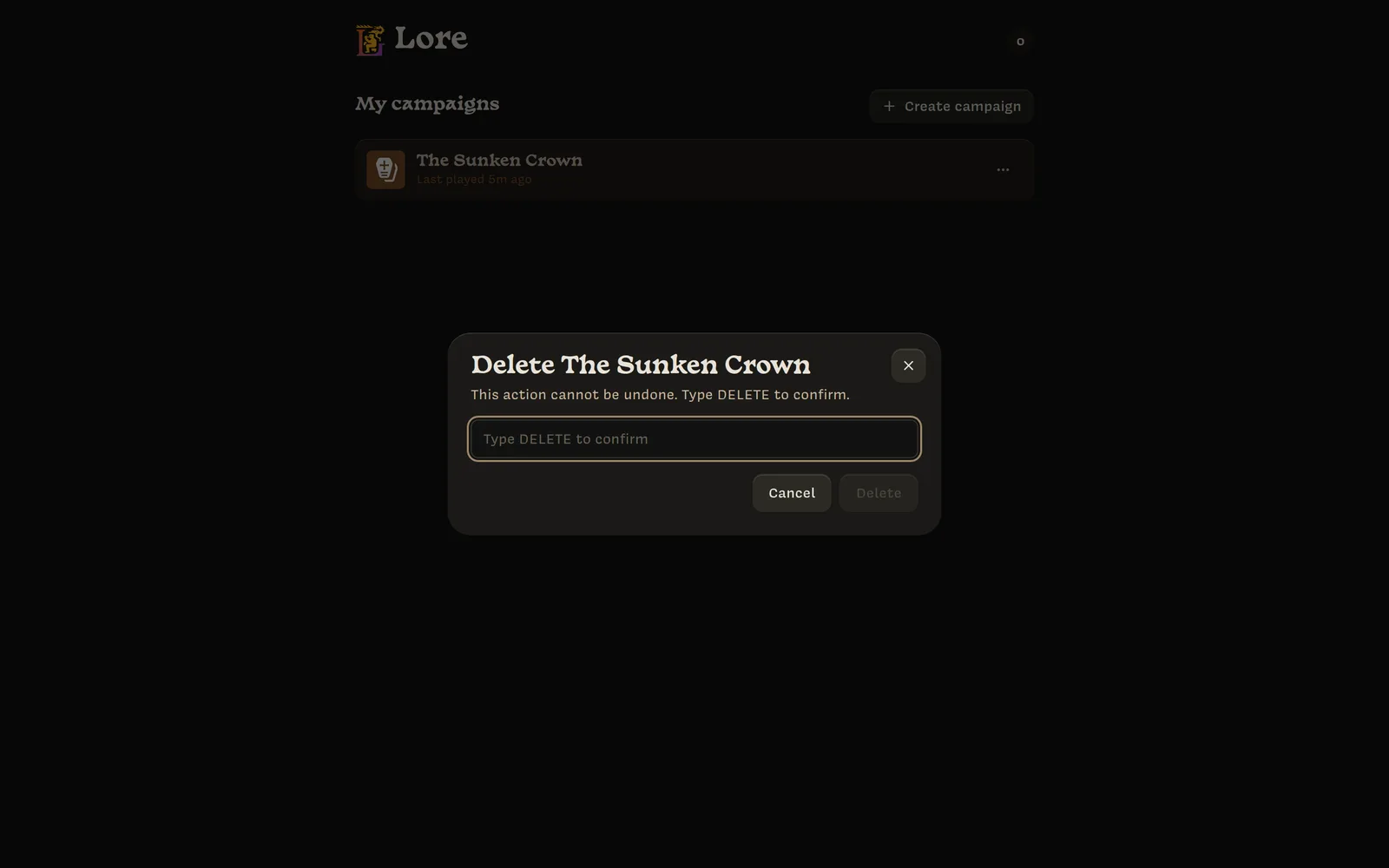
The campaign disappears from your home screen and from every player’s home screen, and its code stops working. Lore erases it for good: its maps, notes, characters, log and backups. Anyone who has it open is disconnected.
There’s no way to undo this. If you might want the campaign again, export it first.