Local development
This section is for people working on Lore itself. The monorepo has three apps:
| App | Path | Port | Command |
|---|---|---|---|
| Play (the game) | apps/play | 3000 | npm run dev:play |
| Marketing site | apps/marketing | 3001 | npm run dev:marketing |
| Docs (this site) | apps/docs | 3002 | npm run dev:docs |
The usual setup links to Vercel and pulls real credentials; see the root
README.md. To run the play app without any hosted services, for offline work,
screenshots, or automated agents, use development auth and local services.
Running play fully locally
Start Postgres and create the schema
createdb lore
cd apps/play
POSTGRES_PRISMA_URL=postgresql://postgres:postgres@localhost:5432/lore \
POSTGRES_URL_NON_POOLING=postgresql://postgres:postgres@localhost:5432/lore \
  npx prisma migrate deploy
Start the Liveblocks dev server
npx liveblocks devIt listens on http://localhost:1153 and accepts the local key sk_localdev.
Configure apps/play/.env.local
POSTGRES_PRISMA_URL=postgresql://postgres:postgres@localhost:5432/lore
POSTGRES_URL_NON_POOLING=postgresql://postgres:postgres@localhost:5432/lore
LIVEBLOCKS_SECRET_KEY=sk_localdev
LIVEBLOCKS_BASE_URL=http://localhost:1153
NEXT_PUBLIC_LIVEBLOCKS_BASE_URL=http://localhost:1153
NEXT_PUBLIC_LORE_DEV_AUTH=true
Run the app
npm run dev:playDevelopment auth
With NEXT_PUBLIC_LORE_DEV_AUTH=true, Lore swaps Clerk for a password-less persona
picker. Open /sign-in:
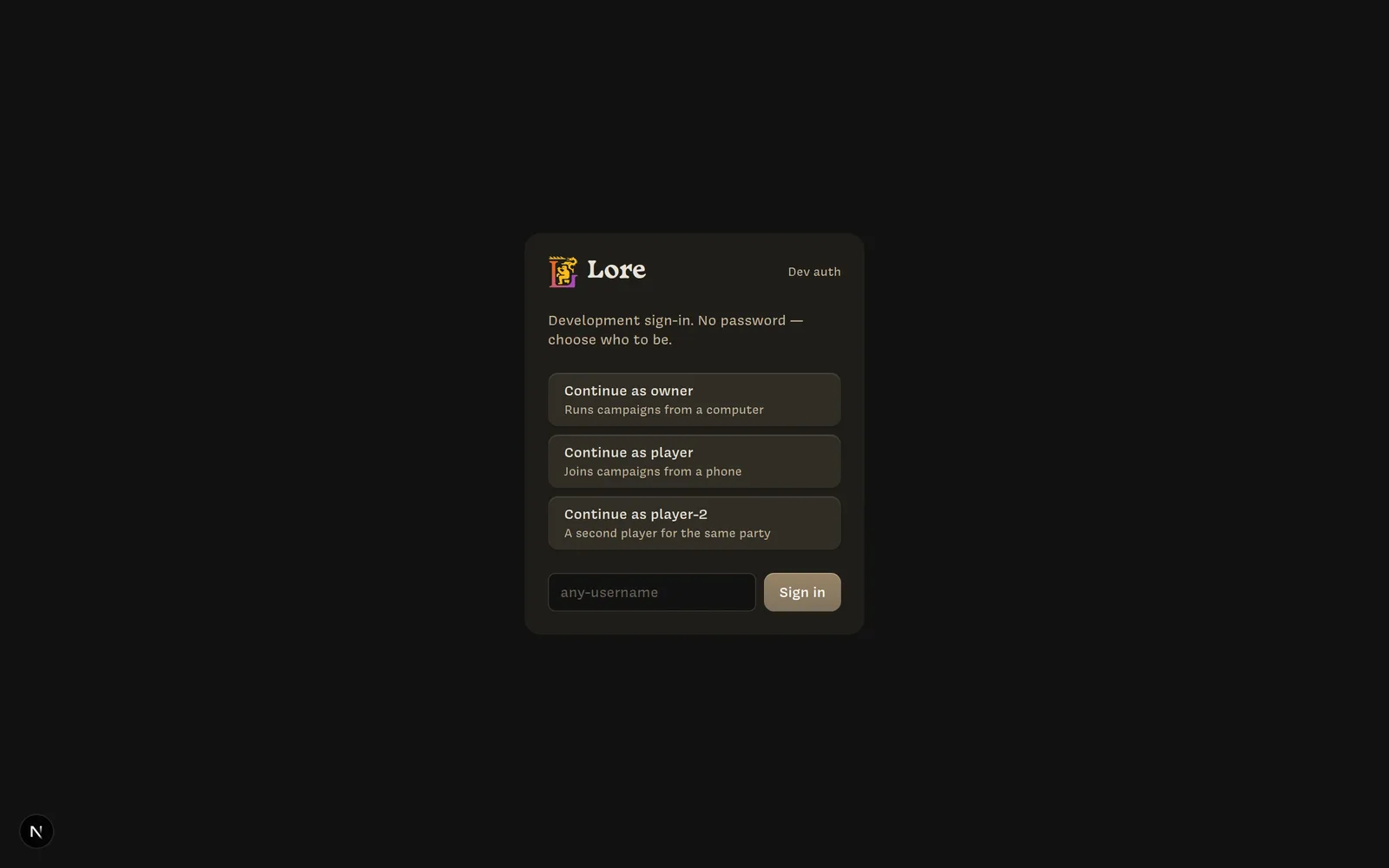
- Continue as owner, player, or player-2, or type any username made of lowercase letters, digits, and dashes.
- The user is created on first sign-in, just like a real sign-up. Their email shows
as
username@lore.test. - Switch users from the avatar menu on the home screen (Switch user, Sign out).
Scripts and agents can skip the picker:
GET /api/dev-auth/sign-in?user=owner&redirect=/campaign/<id>
GET /api/dev-auth/sign-out
To play Owner and Player side by side, use a separate browser profile or Playwright context for each persona. A typical session:
- Sign in as
owneron a desktop-sized window and create a campaign. Note its code. - Sign in as
playerin a phone-sized window (390 × 844 works well), enter the code, and create a character. - Repeat with
player-2for a second player.
Development auth has no passwords. It refuses to start when VERCEL_ENV or
NEXT_PUBLIC_VERCEL_ENV is production, and its routes return 404 unless it’s
enabled. Never set NEXT_PUBLIC_LORE_DEV_AUTH on a deployed environment.
How it’s wired
All identity reads go through apps/play/lib/auth/:
server.ts:auth()andgetUserProfile()for server code, backed by Clerk or by thelore-dev-usercookie.client.tsx:AuthProvider,useAuth(),useOpenSignIn(), andUserButtonfor client components.dev.ts: the flag, personas, and cookie name.proxy.tsuses the same flag to choose between Clerk’s middleware and a cookie check with the same redirect and 401 behavior.
Nothing else in the app imports Clerk, so both modes share every code path after sign-in.