Inviting players
Players join with the campaign’s code, six letters and numbers such as
K7M4QX. Only you, the Owner, can see the code. Codes are hard to guess, and Lore
stops taking codes from anyone who keeps entering wrong ones, so strangers can’t
guess their way in.
Share the code
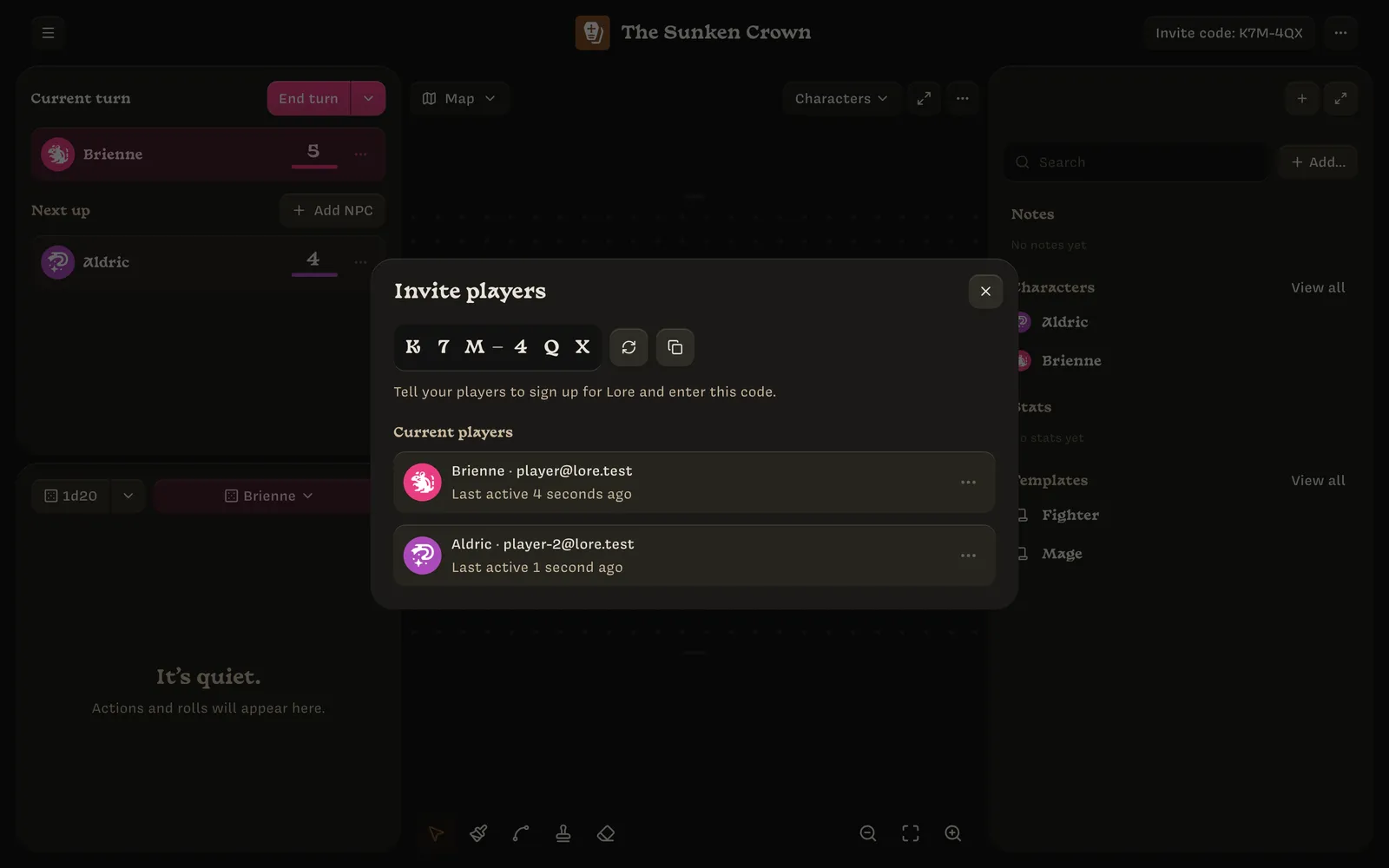
The code appears in two places:
- the Invite code: K7M4QX button in the top bar, which opens the Invite players dialog;
- the turn-order panel, which shows Invite players to get started until the first player arrives.
Next to the code are two buttons:
- Copy code copies the message “Your Lore campaign code is: K7M4QX”, ready to paste into a group chat. Players can paste the whole message into Lore.
- Regenerate code replaces the code with a new one. Old codes stop working, which is useful if a code has been shared too widely. Players who already joined are not affected.
Players enter the code on their phone. Letter case doesn’t matter. See Joining a campaign for what they see.
A code only works for people who aren’t already in the campaign. You can’t join your own campaign as a player, and nobody can join a campaign you’ve deleted.
Current players
The Invite players dialog lists everyone who has joined. Each row shows:
- their character’s sigil (or their avatar, before they make a character);
- their character’s name and their email address or username;
- when they were last active, for example Last active 2 minutes ago. This updates every minute while they have the campaign open.
Click a row to open that player’s character in the right panel. The row’s ⋯ menu has:
- Edit character, which does the same thing;
- Kick player, which removes the player from the campaign. Within a few seconds their phone stops receiving changes and can no longer save, even if the campaign is open, and it shows You’re no longer in this campaign. Their character stays in the campaign.
Kicking a player also:
- Changes the invite code, because they know the old one. Share the new code with anyone else who still needs to join.
- Briefly reconnects everyone else. Open tabs, including yours, move to the campaign’s new connection on their own and keep any edits in progress.
Removed players
Players you kicked are listed under Removed players in the Invite players dialog. They can’t rejoin, even with the new code, until you choose Allow to rejoin. Then give them the current code.