The log, rolls, and effects
The log, in the bottom-left corner, records everything that happens in the campaign, newest first: rolls, actions, damage, healing, deaths, and shared notes. Players see the same log on their phones.
Until something happens, it says It’s quiet. Actions and rolls will appear here.
Rolling dice
Two buttons sit at the top of the log.
Free roll
The left button rolls dice as the campaign itself, for example to check the weather
or pick a random room. Click it to roll the pinned formula (1d20 by default).
Click the ▾ to type any dice formula, such as 3d6 or 1d100. The last five
formulas appear under Recent Rolls. Click the 📌 pin next to one to make it the
default.
Roll for the current character
The right button shows the current character’s name. Use it to roll one of their actions, usually for an NPC on its turn:
- Choose an action, or Dice Roll for a plain 1d20.
- Choose a target, or No Target. Tick Multiple Targets to pick several, then click Roll.
Rolling from a token
On the map, click a token and choose Roll dice › and then an action. A bar appears at the bottom of the map: click a token to target it and roll immediately. Tick Multiple to choose several targets, then click Roll, or click Roll without target. Hovering over a token while targeting shows its distance in spaces.
Reading an entry
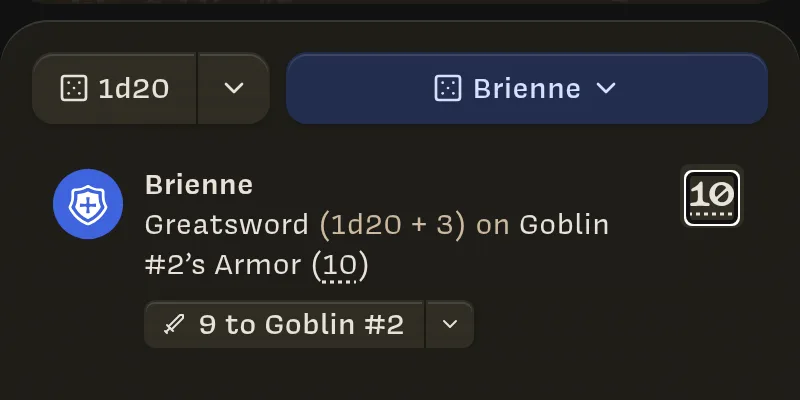
An action entry reads, for example:
Brienne Greatsword (1d20 + 3) on Goblin #2’s Armor (10)
- Brienne is who acted.
- Greatsword (1d20 + 3) is the action and its roll formula.
- on Goblin #2’s Armor (10) is the target. When the action has a Target Stat, the target’s value is shown for comparison. You decide what the comparison means.
- The box on the right is the total.
A critical roll glows in the character’s color. That happens when every die in
the first group that rolled shows its highest face (a natural 20 on 1d20 + 3).
A * after the total means the player changed the dice for this one roll (see
custom rolls).
See the math
Click the total, or any dotted number, to see exactly how it was calculated:
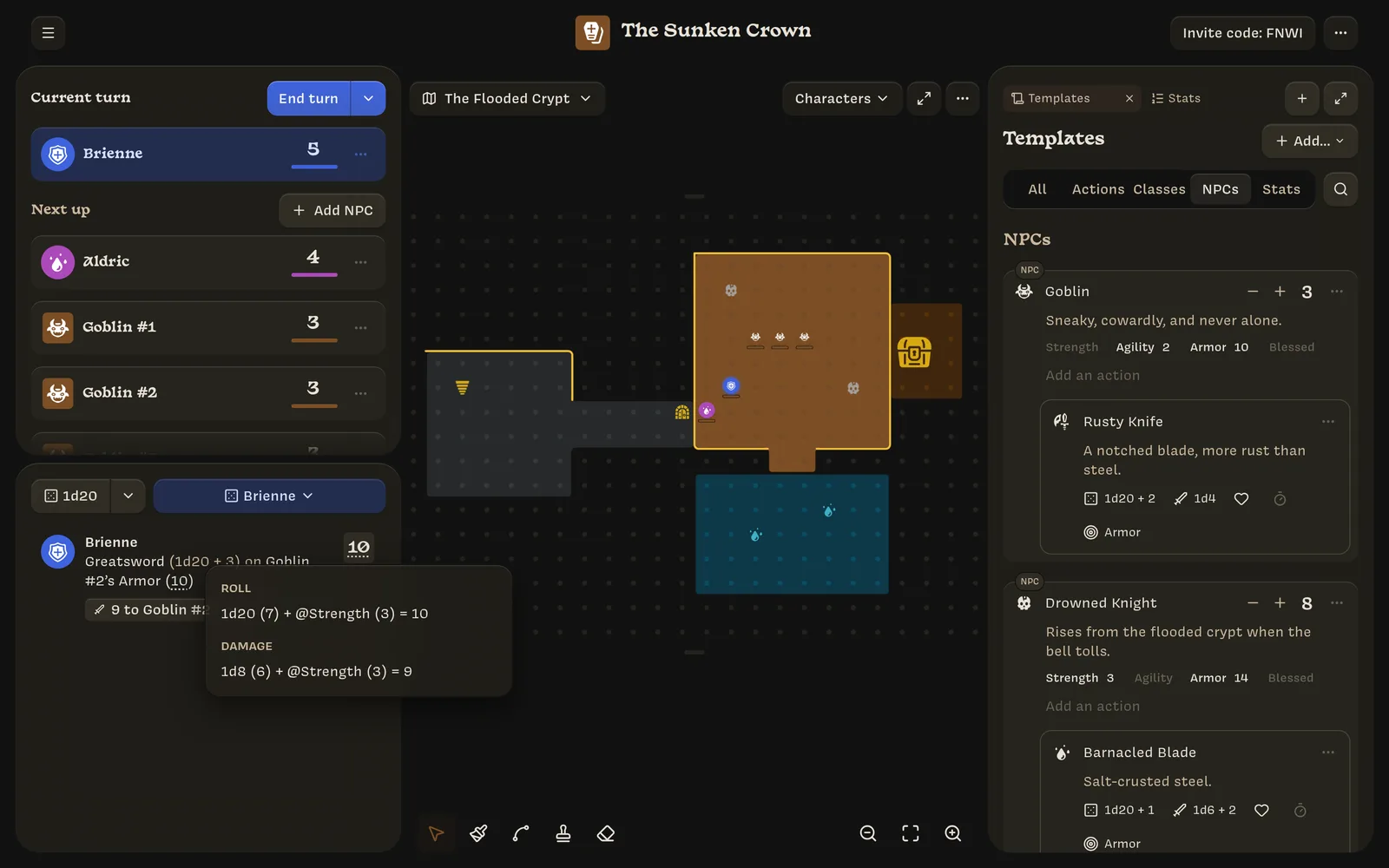
Entries are frozen when they’re made. Changing a Stat or an action later doesn’t change entries already in the log.
Applying damage and healing
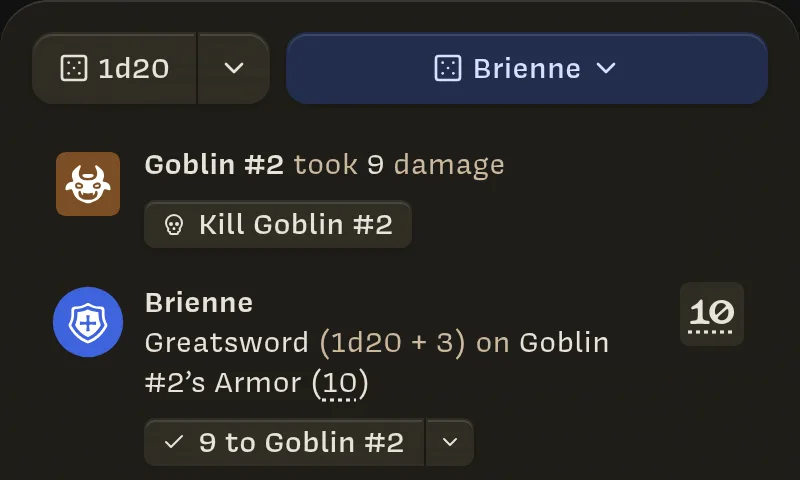
Rolls never change health on their own. When an action deals damage or heals, its entry has a button to apply it, such as ⚔ 9 to Goblin #2. Click it to apply the effect. A ✓ marks targets you’ve already applied it to.
- The ▾ next to the button lists everyone in the turn order, so you can apply the effect to someone else. This is useful for area effects, or if the roll missed.
- An action with no target shows ⚔ 9 ▾. Pick who to apply it to.
- Damage stops at 0 health. Healing stops at maximum health.
- A negative result stays in the log but applies as 0.
Killing from the log
When damage brings a character to 0 health, the entry offers Kill Goblin #2. If several targets dropped, choose Kill all or pick them one at a time.
Other entries
- Health changes: Goblin #2 took 9 damage, Brienne was healed for 3.
- Deaths: Goblin #2 was killed.
- Shared notes: The Sunken Crown shared a note, with a preview card. Click it to open the note.
The log groups entries by session. A gap of 12 hours or more starts a new section, such as 2 days ago. Pauses of more than five minutes show the time, such as Today at 7:12 PM. Scroll down and click Show earlier events for older history.
When you’ve scrolled down the log, new entries also pop up as notifications at the top of the screen, so you don’t miss them.