Templates
Templates are reusable building blocks. There are four kinds:
- Classes: starting points that players choose when they create a character.
- NPCs: monsters and characters you can add again and again.
- Actions: actions you can copy onto any character.
- Stats: your campaign’s Stats are managed here too.
Open the Templates list from the right panel (View all next to Templates, or + and search). Use the tabs (All, Actions, Classes, NPCs, Stats) or the search button to filter. Add… creates a new template of any kind.
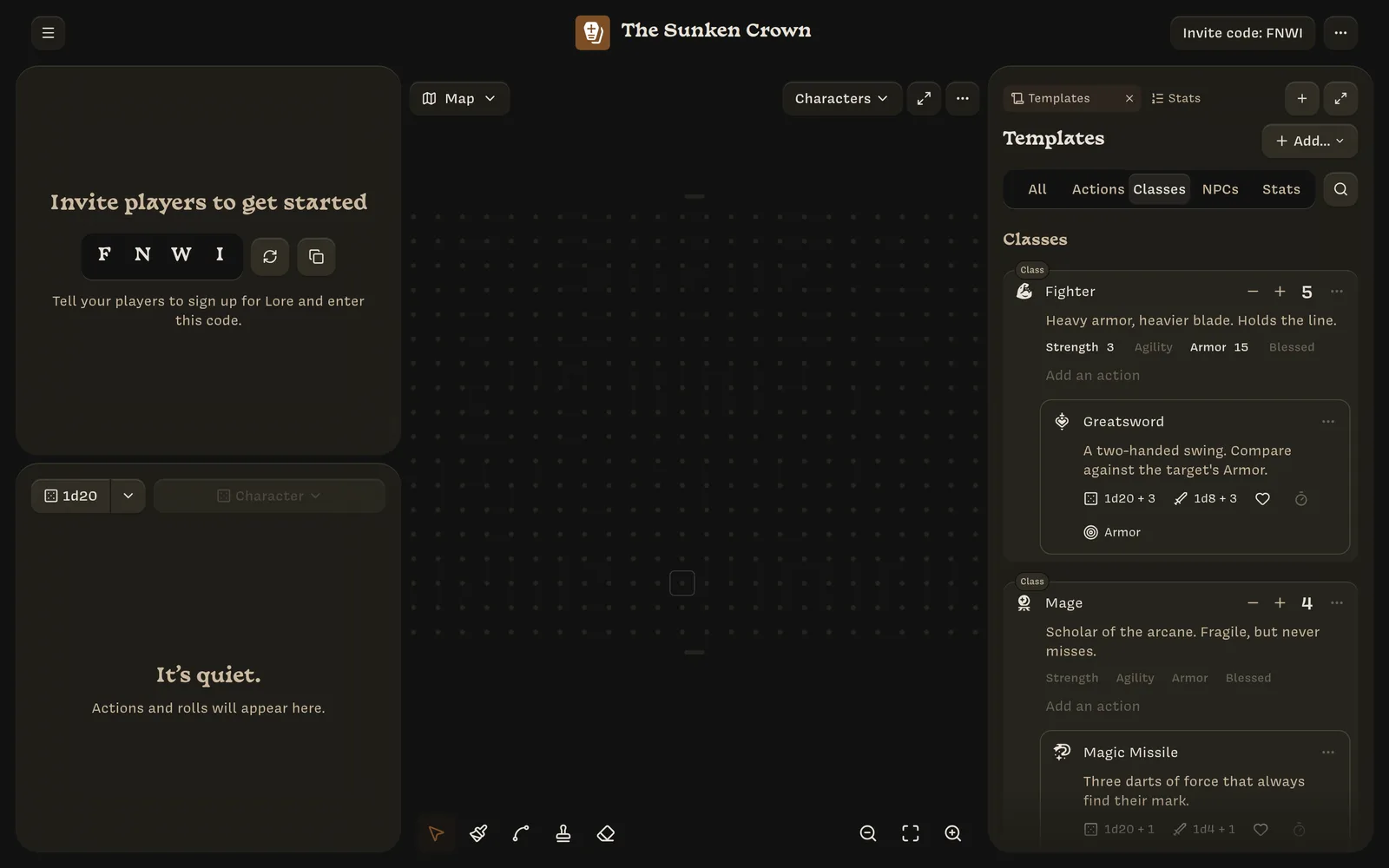
Classes
A class has a sigil, name, description, maximum health, Stat overrides, and actions. New campaigns start with Fighter and Mage, which you can edit or archive.
When a player picks a class, their new character gets a copy of the class’s maximum health, Stat overrides, and actions. Later changes to the class don’t affect characters already created from it.
If a campaign has no classes, players create characters without one.
NPCs
An NPC template has the same fields as a class, plus a note. New NPCs start with 4 health.
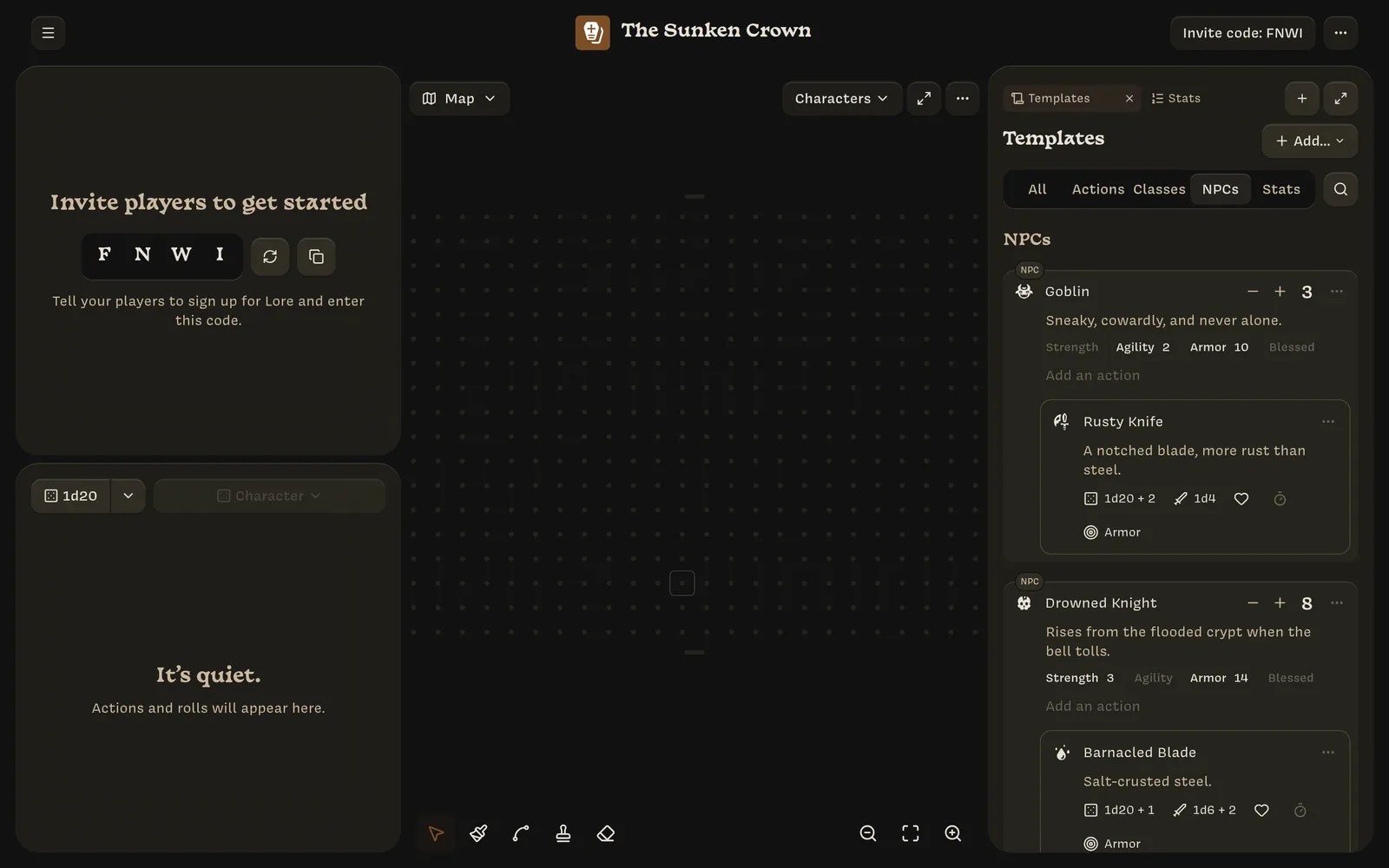
Create NPCs from a template:
- from Add NPC in the turn order;
- by clicking an empty space on the map;
- from an NPC mention in a note: Add to map or Add to turn order;
- from the template’s ⋯ menu: Add to turn order.
Stat overrides
Under a class or NPC’s description is a row of your campaign’s Stats. Click one to set a value for characters created from this template. Overridden Stats are shown in bold; the others use the Stat’s default.
In the example, the Fighter class sets Strength to 3 and Armor to 15, so a new Fighter starts with those values.
Actions
Action templates are actions that aren’t attached to anyone yet. Copy them onto a character or class with Copy a template in the Add an action field, or with the template’s Copy to… › menu. See Actions.
Template menu
Every template’s ⋯ menu has:
- Duplicate template, which makes Copy of Goblin;
- Archive template, which hides it from lists (Template archived);
- Unarchive template, on archived templates, which are marked • Archived.
New templates are named Untitled Class, Untitled NPC, and so on. New action
templates start with a 1d20 roll, and new Stats with a default of 0.